
Total: $0.00

Balance:   $0.00
Artwork Tutorials

Preparing 1 Spot Colour Artwork

Tutorial for Adobe Illustrator | Tutorial for Adobe Photoshop

Software Illustrator

Step 01 – Fill in 100K (Black Colour)
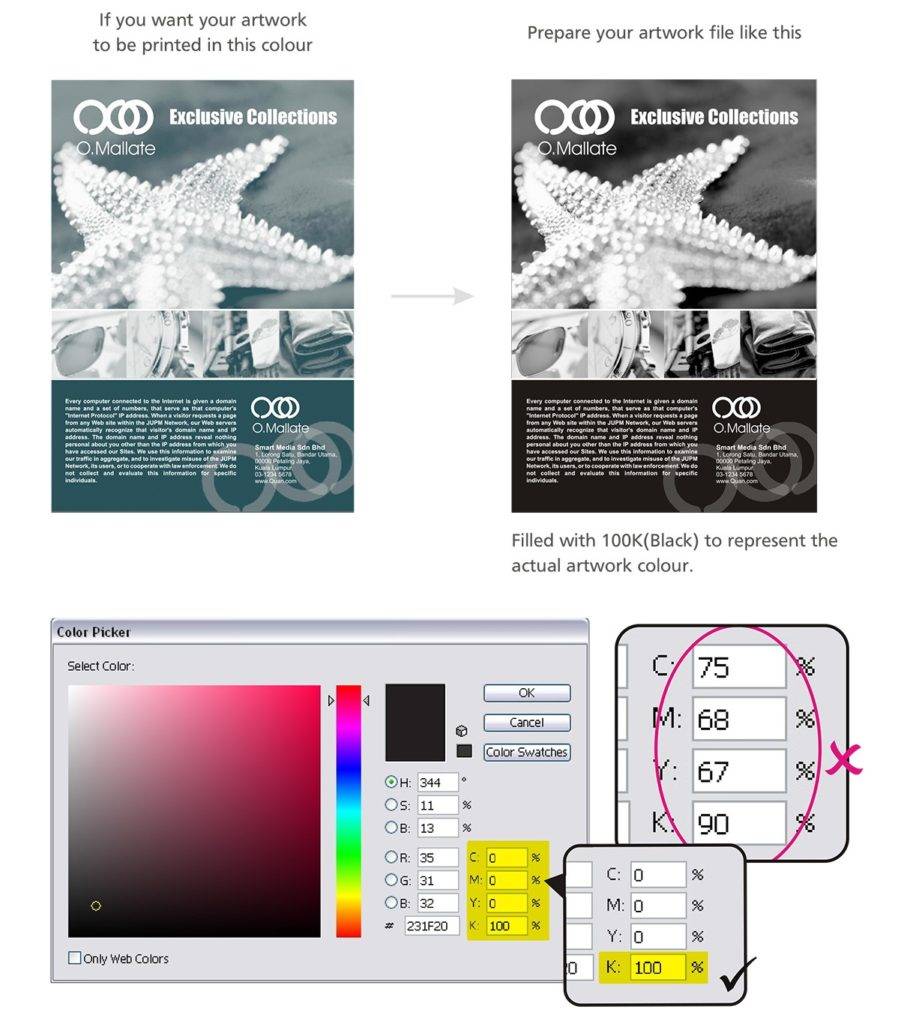
Step 02 – Choose the Spot Colour During Ordering Process. During ordering process, you will be required to indicate the actual colour of your artwork. In this example, K(Black) = EX BLU 03.

Software Photoshop

Step 01 – Fill in 100K (Black Colour)
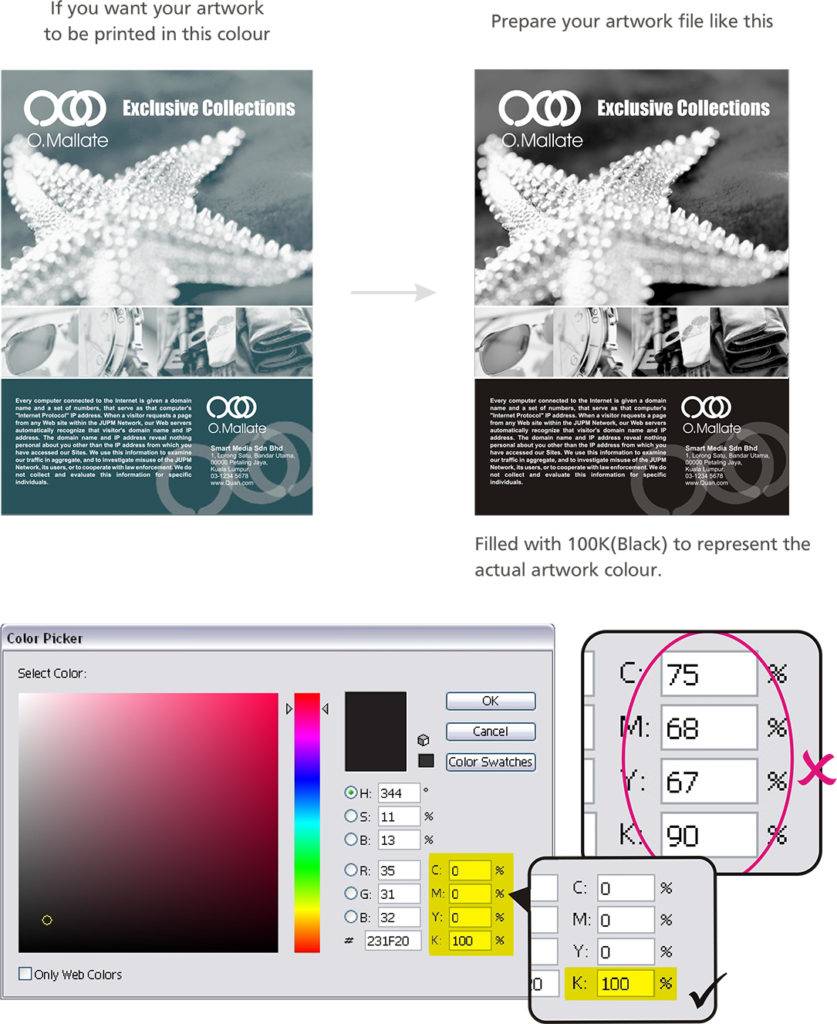
Step 02 – Choose the Spot Colour During Ordering Process. During ordering process, you will be required to indicate the actual colour of your artwork. In this example, K(Black) = EX BLU 03.

Share this article via

Contact Us

WhatsApp us
+65 8820 2122 (WhatsApp)
Chat with us
Available on 9:30 am to 6:30 pm
WhatsApp Us
+65 8820 2122 (WhatsApp)
Chat with us
Available on 9:30 am to 6:30 pm
Our Work Availability
Monday
9.30am to 6.30pm
Tuesday
9.30am to 6.30pm
Wednesday
9.30am to 6.30pm
Thursday
9.30am to 6.30pm
Friday
9.30am to 5.30pm
Saturday / Sunday
Closed
Public Holiday
Closed

Connect with Us

© 2025 Expressprint All rights reserved.
A printing company incorporated and managed in Singapore since 2005

How we count production days

1
Order cutoff — place your order before 3pm on a working day to start production that same day.
2
Working days only — we count Monday to Friday. Weekends are excluded.
3
Public holidays — Singapore public holidays are excluded from the production count.
4
Delivery — Same day, next day & standard delivery available at checkout.
Example: order before 3pm on Monday = print ready by Thursday (2-day job).