Your cart is currently empty!
Software Illustrator
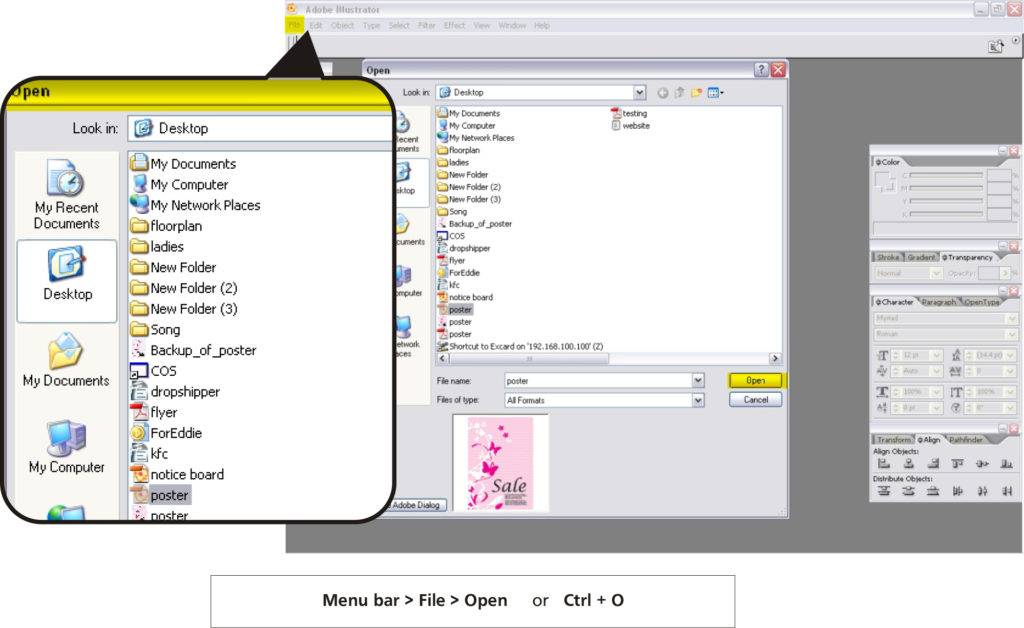
Step 01 – Open the file
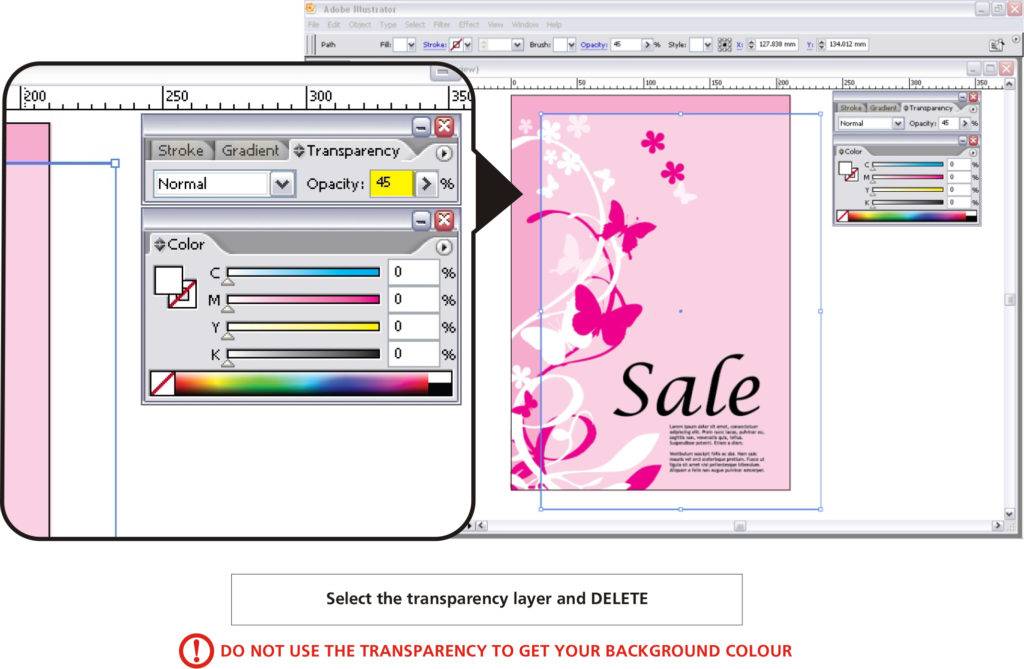
Step 02 – Delete the transparency layer
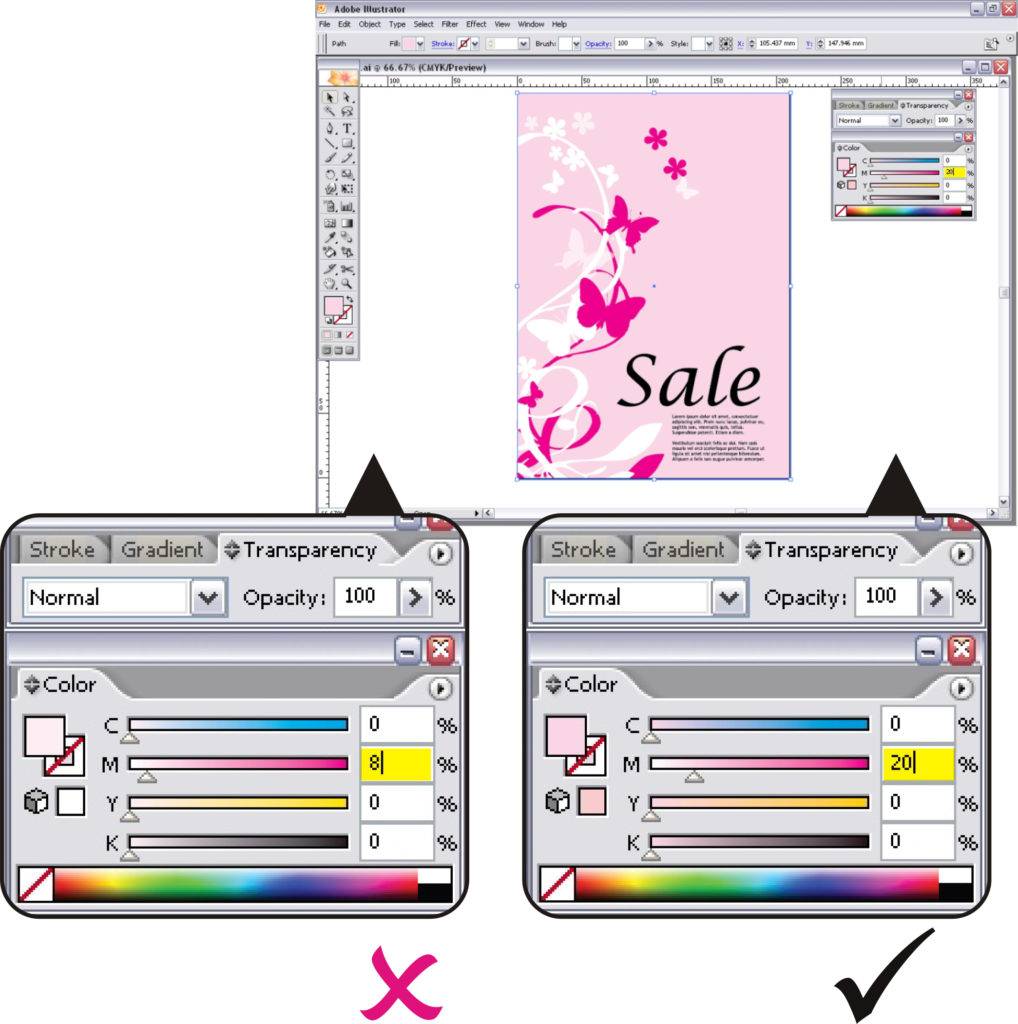
Step 03 – Adjust the colour you want and make sure colour tints (Toning) is more than 10%

Step 01 – Open the file
Step 02 – Delete the transparency layer
Step 03 – Adjust the colour you want and make sure colour tints (Toning) is more than 10%


