
Total: $0.00

Balance:   $0.00


We recommend you to use Canva for great design ideas. You can either design from scratch or make use of their existing designs and modify from there, saving you time and money.

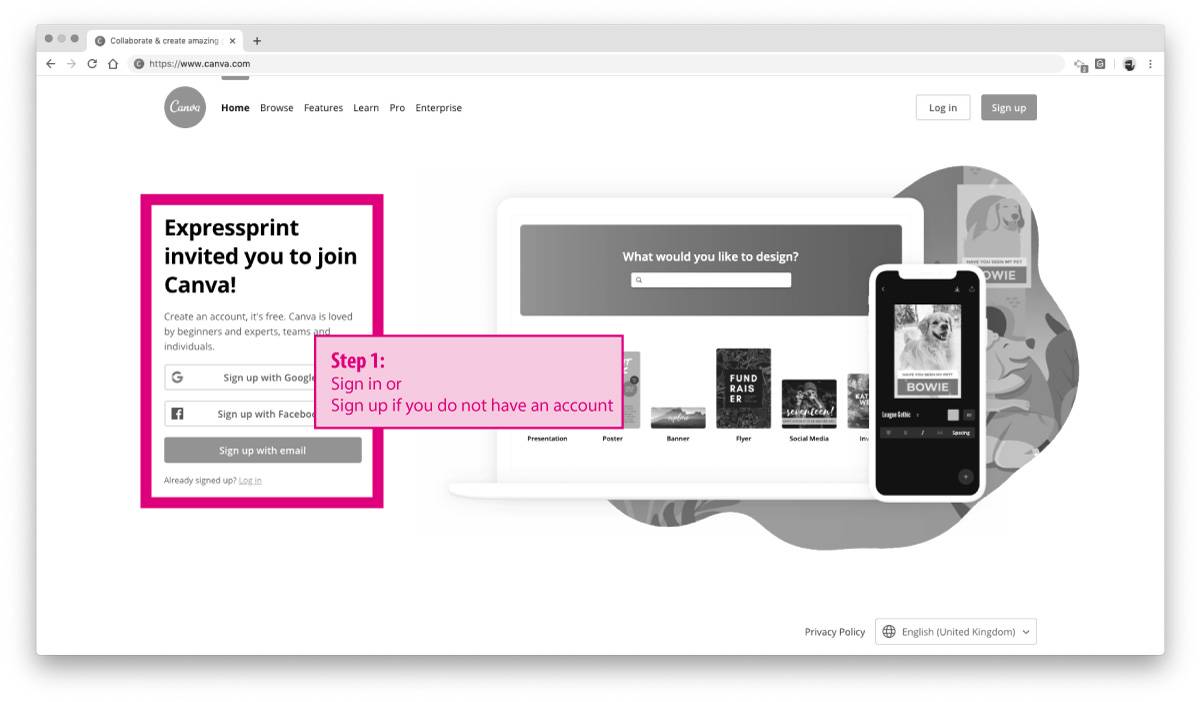
Step 1: go to Canva.com
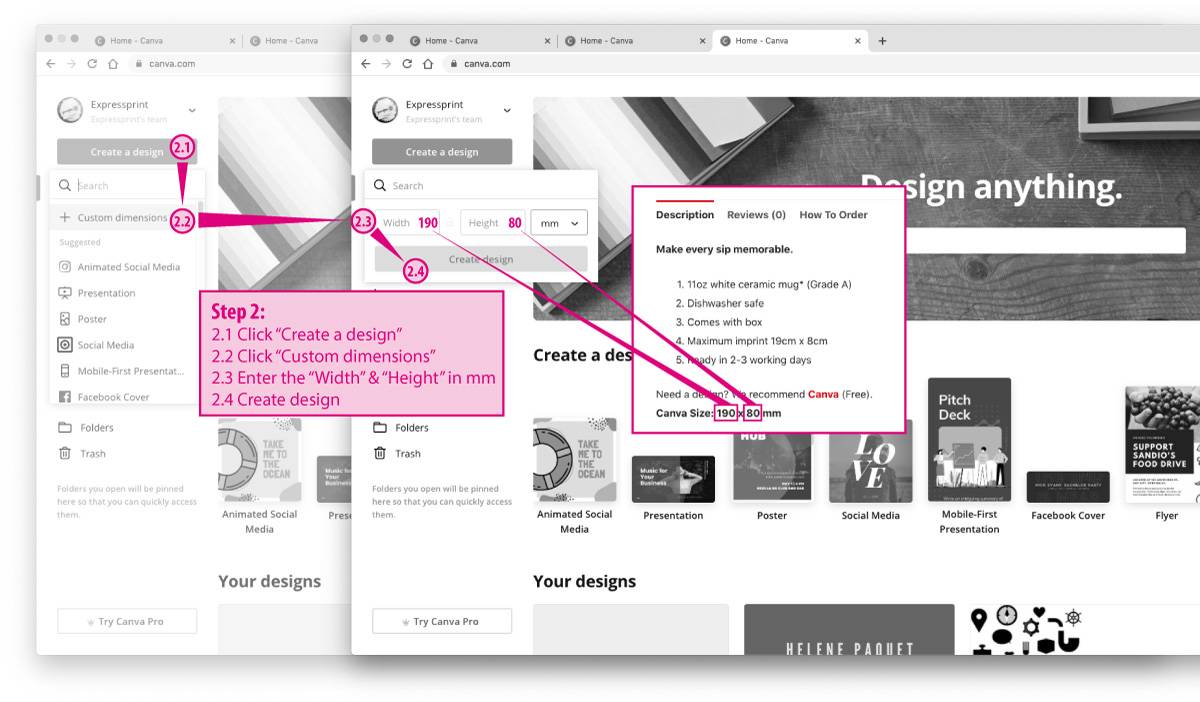
Step 2: Start creating the design. Take note in Step 2.3, look for the canvas size in our product descriptions and key in accordingly.
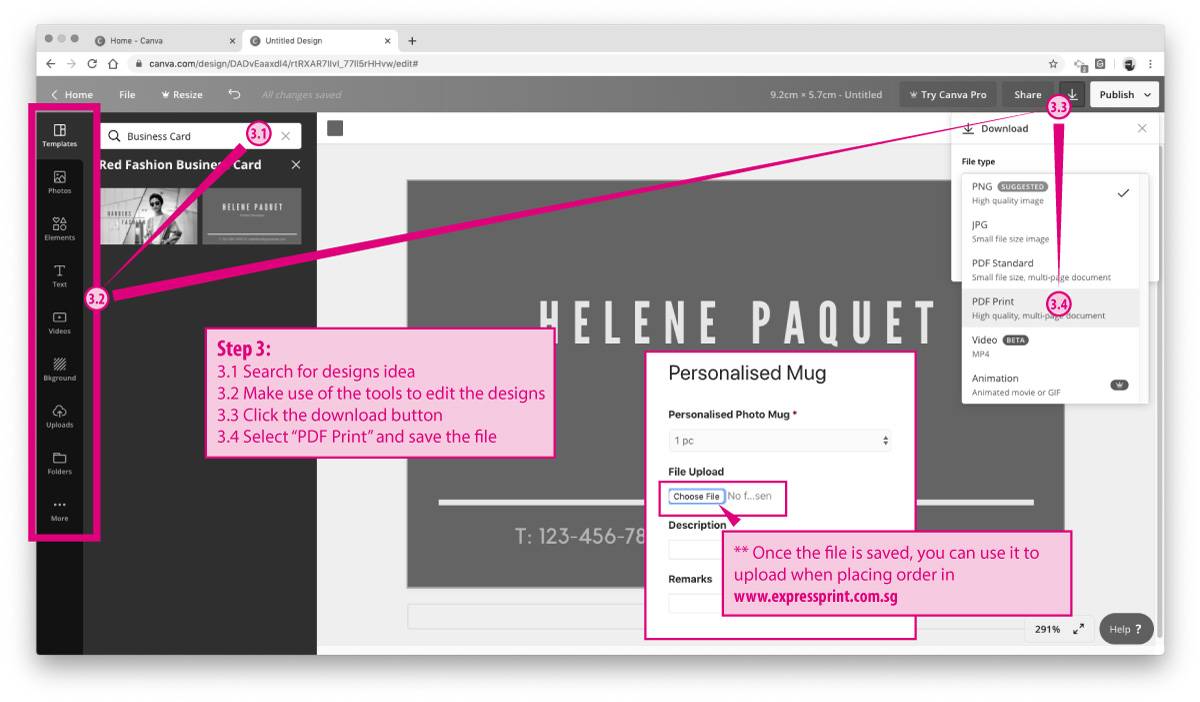
Step 3: Do all your designs and download the file in “PDF Print” when done. You can upload the file to us when placing order.
For tutorial in using Canva, go to https://designschool.canva.com/tutorials/

Contact Us
WhatsApp us
+65 8820 2122 (WhatsApp)
Chat with us
Available on 9:30 am to 6:30 pm
WhatsApp Us
+65 8820 2122 (WhatsApp)
Chat with us
Available on 9:30 am to 6:30 pm
Our Work Availability
Monday
9.30am to 6.30pm
Tuesday
9.30am to 6.30pm
Wednesday
9.30am to 6.30pm
Thursday
9.30am to 6.30pm
Friday
9.30am to 5.30pm
Saturday / Sunday
Closed
Public Holiday
Closed
Connect with Us
© 2025 Expressprint All rights reserved.
A printing company incorporated and managed in Singapore since 2005

How we count production days

1
Order cutoff — place your order before 3pm on a working day to start production that same day.
2
Working days only — we count Monday to Friday. Weekends are excluded.
3
Public holidays — Singapore public holidays are excluded from the production count.
4
Delivery — Same day, next day & standard delivery available at checkout.
Example: order before 3pm on Monday = print ready by Thursday (2-day job).